



















Correcting your address won’t hurt your rankings by itself.
Google actively encourages businesses to update accurate information. In the long run, fixing your address improves user experience and search relevance, which actually helps your rankings.
But here’s the catch: many businesses experience temporary dips because of poor handling—like frequent changes or inconsistent info—which triggers system reviews and lowers trust signals.
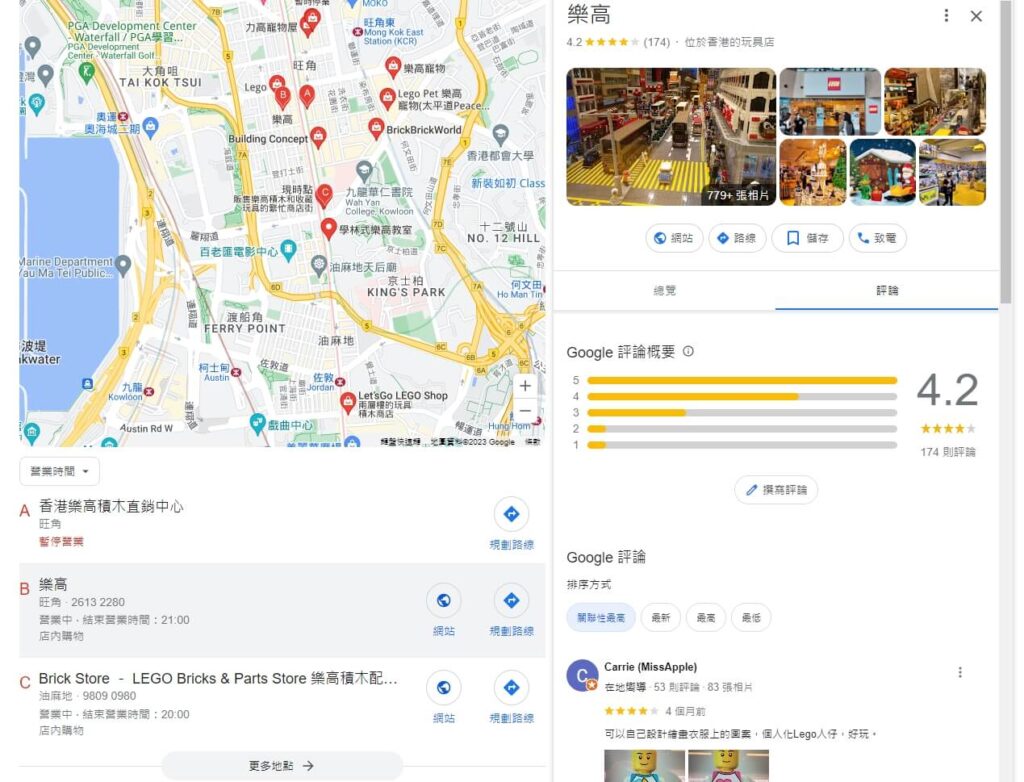
Does changing your address affect rankings?
“It’s just an address change—why did my ranking drop?” That’s a common concern for many business owners.
In reality, updating your address is NOT a direct penalty signal.
Google’s underlying logic:
Accurate addresses are a baseline requirement for local search rankings. A wrong address hurts your business’s relevance to search intent, which directly cuts down your visibility.
Once the address is corrected: Google re-aligns your business with relevant local searches (like “phone repair near me”), which usually boosts your rankings over time.
Why do some see a drop after updating?
Temporary review period: Google often takes 1–2 weeks to verify the new address. During this time, your ranking may dip temporarily—but it typically stabilizes and improves afterward.
Negative user behavior: If customers can’t find you at the new address (e.g., your website still shows the old one), they might leave bad reviews or bounce, which indirectly hurts rankings.
Key takeaway:
Handled correctly: Update it once, make sure all listings match, and ranking impact is minimal.
Handled poorly: Repeated edits or inconsistent info may be flagged as “suspicious behavior,” hurting your credibility with Google.
How Google Maps ranking actually works
Why do some businesses with remote locations rank top 3, while others in prime spots don’t even show up?
Google Maps rankings aren’t just about distance. The system is built around a complex algorithm focused on matching user needs.
Core ranking factors:
- Address accuracy: Google prioritizes businesses that match the user’s search area closely. A wrong address creates “location mismatch,” costing you local traffic.
- User behavior signals: Click-throughs, navigation requests, time on site, review engagement (especially ones with location keywords). The more positive actions from users, the higher you rank.
- Business profile completeness: Things like business hours, service descriptions, and photos increase your “trust score,” which boosts ranking indirectly.
Hidden impact of address accuracy:
- Search term match: If someone searches “Coffee shop on XX Road,” Google favors listings that specifically mention “XX Road” or known nearby landmarks in the address.
- Navigation penalty: Even if the address is right, complicated routes (like needing to loop over an overpass) can hurt rankings due to poor user experience.
Pro tips to quickly boost rankings:
- Optimize local keywords: Use “area + service” naturally in your business description (like “Appliance Repair in Xuhui District”) to better match search intent.
- Encourage user behavior: Ask customers to mention location perks in reviews (like “right outside the subway exit”), which helps Google trust your address more.
- Consistency across platforms: Make sure your website, social media, and Google Maps all have the exact same address. Conflicting info can lower your credibility.
How to correctly update your address
Only updating Google Maps but not your website, editing it multiple times in 30 days, or forgetting to include nearby landmarks—these things might make Google see your info as “unreliable.”
Step 1: Edit in Google My Business (GMB)
Log into your GMB account, go to the “Info” tab, and edit your address.
Tips:
- When adding the street address, include nearby landmarks (like “Right side of East Gate, XX Mall”) to improve navigation accuracy.
- If your business is inside a building, mention the floor and suite number (like “3rd Floor, Room 301”).
Step 2: Sync the info across the internet
Must-update platforms:
- Your homepage and contact page on your website;
- Social media bios like Facebook, Instagram;
- Other directories like Yelp or Dazhong Dianping (to avoid confusing customers).
Important: The address format must be completely consistent across platforms—whether you use “Rd.” or “Road” should be the same everywhere.
Step 3: Submit for verification
After editing, Google might ask you to reverify ownership (like sending you a postcard with a code).
Tips to speed up verification:
- Upload recent storefront photos (with signage) to your GMB dashboard to prove the new address is real;
- Add detailed hours and service info to reduce system flags.
Things to avoid:
- Don’t update too frequently: Changing your address more than twice in 30 days could trigger a manual review, and temporarily hide your listing.
- Don’t use vague “nearby” addresses: Like just saying “near the subway” without a specific exit. That can make the algorithm downgrade your listing.
- Monitor user feedback post-edit: If you get reviews saying “couldn’t find the shop” within a week, reply on GMB and pin a detailed navigation guide.
How to handle ranking drops after an update
Actually, most ranking fluctuations are just part of Google revalidating your data—think of it like moving houses and needing time to tell all your friends.
Why it happens & what to expect:
- Temporary data syncing: It takes Google 1–2 weeks to crawl and index your new address. During that time, your rankings may dip or disappear (especially for “near me” searches).
- User Habit Adjustment: Existing customers might still search for the old address, which could cause a temporary drop in click-through rate, but traffic will gradually shift to the new address within 2–3 weeks.
3 Actions to Speed Up Ranking Recovery
Boost GMB Info Credibility:
Add navigation hints to the “Business Description” (like “Near Exit 2 of XX Metro Station”);
Upload real store photos showing the new address and tag them as “New Location Snapshot”.
Actively Guide User Behavior:
Send out emails or texts to members notifying them of the address change, with direct navigation links to the new location;
Encourage customers to leave reviews on the new location page, and include keywords related to the new place (e.g. “Much more convenient after moving to XX Road”).
Optimize Local Content Relevance:
Post a “Relocation Announcement” blog on your website, using a title with the new address + service keywords (like “New Store in XX District: Faster Repair Services”);
Add a visual Q&A guide on Google Maps under “FAQs” with the question “How do I get to the new store?”
What to Do if Rankings Keep Dropping?
- Check for Consistent Info: Use tools like BrightLocal to scan all platforms for consistent address listings and fix any conflicting information right away.
- Request Manual Review: If rankings haven’t bounced back after a month, submit a “Data Verification Request” through the GMB dashboard, including your business license and proof of new address (like a lease contract).
Recommended Tools for Long-Term Monitoring
- Free Tools: Google Search Console (check the “Performance Report” for local keyword ranking trends);
- Paid Tools: Moz Local (monitors how your updated address syncs across platforms and alerts for inconsistencies).
How Fixing Your Address Can Boost Rankings
Google favors businesses with accurate and clearly described addresses—because users can find them more easily, stay longer, and leave fewer bad reviews.
From “Fixing Errors” to “Gaining Points”: The Core Logic of Address Optimization
- Data Inheritance Advantage: Once the address is updated, all previous reviews, ratings, and user interaction data stay with you—it’s like “moving with your reputation.”
- Better Match with Search Intent: A correct address helps you show up for more local long-tail keywords (like “24/7 car repair in XX District”), bringing in more targeted traffic.
3 Quick-Win Address Optimization Tips
1. Add Landmark Keywords to the Address Description
What NOT to do: Just write “123 Zhongshan Road”;
What TO do: “123 Zhongshan Road (North of XX Mall, 3-minute walk from Metro Line 2, Exit B)”.
Why It Works: Adding nearby landmarks matches common user searches (like “near XX mall”), boosting relevance scores.
2. Use Customer Reviews to Build Address Trust
Invite loyal customers to leave reviews, and subtly mention location perks, like:
- “The new store’s right by the metro—way more convenient!”
- “Ever since they moved to XX Tower, parking’s been a breeze. Highly recommend!”
Tip: Avoid copy-paste style reviews—make sure the comments sound genuine and reflect real experiences.
3. Optimize the Google Maps “Business Description”
In your GMB profile, combine your address with your main service:
Wrong: “Expert phone repair”;
Right: “Professional phone repair in Xuhui District (200 Caoxi North Road), walk-in service for Apple and Huawei”.
Make Your Address a Ranking Moat
- Use free tools like HubSpot Website Grader every quarter to check if your website and social media addresses match your Google Maps listing.
- Post “Local Service Guides” on your blog (e.g. “Top 5 Computer Repair Spots Near Jing’an Temple”), and naturally include your store address and nearby landmarks.
- Publish a standalone backlink monthly to gain referral domain authority points.
Google’s algorithm is always looking for the business that best matches what users need.
Focus on these two core factors: “accuracy” and “user experience”.






