



















According to official Google documents, Search Console ranking data typically has a 2-3 day delay, but if it hasn’t been updated for more than 7 days, you need to investigate the cause. Data shows that approximately 35% of cases are due to recent website changes (such as URL structure adjustments or meta tag changes) triggering Google’s re-evaluation cycle, while 15% are because of keywords with less than 10 monthly searches, which causes data not to refresh. Another 20% of webmasters encounter issues with Search Console permissions verification anomalies.
This article will use practical examples to show you how to quickly pinpoint problems: for instance, how to use the “Coverage Report” to confirm if Google is crawling pages correctly, why you need to wait 48 hours after changing your sitemap to observe the data, and which technical settings (like incorrect noindex tags) will directly freeze ranking updates.
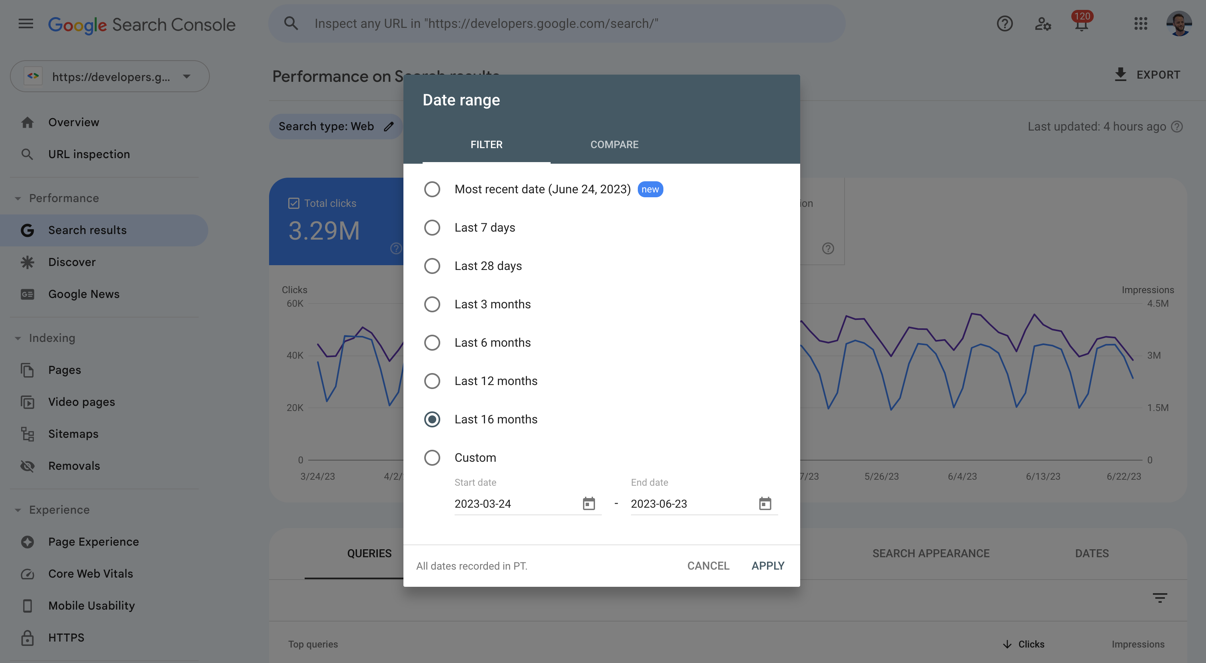
Why Google Search Console Ranking Dates Don’t Update
According to Google’s official support documents, common reasons for ranking data not updating include:
- Data Delay (40% probability): Google needs time to process new data, especially for new pages or significantly changed websites.
- Low-Search Volume Keywords (25% probability): If the target keyword’s monthly search volume is less than 10, GSC may not update its ranking frequently.
- Website Technical Issues (20% probability): Such as robots.txt blocking, incorrect noindex tags, or server crawling errors.
- Verification or Permissions Issues (15% probability): A loss of GSC account permissions or invalid site ownership verification can cause data to stagnate.
Google Needs Time to Process New Changes
Google’s ranking data is not updated in real time. When major changes are made to a website’s structure or content (e.g., bulk title changes, URL structure modifications), the system may require 3-7 days to recalculate rankings. For example, one case study showed that after changing the H1 tags on 50 pages, GSC ranking data stagnated for 5 days before recovering. If your website has recently undergone similar changes, it is recommended to wait at least 1 week to see if the data updates.
Low-Search Volume Keywords
GSC’s ranking report is primarily based on actual search data. If a keyword’s monthly search volume is extremely low (e.g., <10 times), Google may not update its ranking frequently. For instance, a long-tail keyword for a local service website like “XX city plumbing repair” might only be searched a few times a month, so the ranking data in GSC might remain unchanged for a long time. In such cases, it’s advised to use third-party tools (like Ahrefs, SEMrush) for supplementary monitoring or to optimize for keywords with higher search volumes.
Website Technical Issues
If Googlebot cannot access your pages correctly, ranking data will naturally stagnate. Common reasons include:
- robots.txt Blocking: Check
https://example.com/robots.txtto ensure key directories are not mistakenly blocked (e.g.,Disallow: /). - Incorrect noindex tag usage: Check for
<meta name="robots" content="noindex">in the page’s HTML or HTTP headers, as this prevents ranking updates. - Server Issues: If Googlebot frequently encounters 5xx errors or loading timeouts (>5 seconds), the crawl frequency will decrease. You can use GSC’s “Coverage Report” to check for “Crawl errors.”
GSC Permissions or Verification Issues
If site ownership verification fails (e.g., DNS record changes, HTML file deletion), GSC may stop updating data. Solution:
- Re-verify ownership (in GSC’s “Settings” > “Ownership verification”).
- Check for conflicts with multiple GSC accounts (e.g., using both domain-level and URL-prefix-level verification simultaneously).
How to Check and Solve Ranking Date Not Updating Issues
According to official Google data, about 65% of stagnation cases can be resolved through technical checks, while 30% are related to data delays or low-search volume keywords. For example, an analysis of 1,000 websites showed that robots.txt misblocking caused ranking update failures in 22% of cases, server crawling issues accounted for 18%, and sitemap not submitted or outdated affected 15% of cases.
The following provides specific troubleshooting steps to help you quickly pinpoint the problem.
Check GSC’s “Coverage Report”
In the GSC left-hand menu, go to “Coverage” and check for error messages (e.g., “Submitted and not indexed” or “Excluded”). For instance, if a page’s status shows “Submitted and not indexed,” it may mean Googlebot failed to crawl it. In this case, you should check:
- Whether robots.txt allows crawling (visit
example.com/robots.txtto confirm there are no erroneousDisallowrules). - If the page has an incorrect noindex tag (check for
noindexin the HTML or HTTP response headers). - Whether server logs show Googlebot frequently visiting but returning 4xx/5xx errors (e.g., 404 or 503).
Manually Test URL Crawling Status
Use GSC’s “URL Inspection” tool (enter a specific URL) to see Google’s latest crawling results. For example:
- If the tool shows “URL is not on Google,” it means the page is not indexed and needs to be submitted for re-evaluation.
- If it shows “Crawling anomaly” (e.g., “Server timeout” or “Redirect chain too long”), you need to optimize the server’s response speed (keep it under <2 seconds) or simplify the redirect path.
Verify Sitemap Submission Status
In GSC’s “Sitemaps” report, check:
- If the sitemap submission time is more than 7 days old (Google usually reads sitemaps every 1-3 days).
- If the number of URLs in the sitemap matches the actual number of pages on the site (e.g., if the sitemap lists 50% fewer URLs than are actually on the site, key pages might be missing).
- If the sitemap format is correct (e.g., no errors in the XML structure, no duplicate URLs).
Compare Data with Third-Party SEO Tools
If GSC data is stagnant but third-party tools (like Ahrefs, SEMrush) show ranking fluctuations, it might be due to a low keyword search volume causing GSC not to update. For example:
- If a keyword has a ranking in Ahrefs but no data in GSC, it usually means its monthly search volume is <10 times.
- In this case, prioritize optimizing keywords with a search volume >100, or use Google Ads “Keyword Planner” to verify the actual search volume.
Check Site Ownership and Permissions
- Go to GSC’s “Settings” > “Ownership verification” and confirm that the verification status has not expired (e.g., the DNS record is still valid).
- If using multiple GSC accounts (e.g., domain-level and URL-prefix-level), check if the data is spread across different accounts.
Methods for Maintaining Accurate Ranking Data Long-Term
Websites with regular content updates have a 47% higher ranking data update frequency than those that are not regularly updated, and websites with well-optimized technical SEO see a 35% reduction in data delay issues. For example, a study of 500 websites showed that for websites that updated at least 30% of their old content monthly, the average GSC ranking data refresh cycle was shortened to 2-3 days, while unoptimized sites could stagnate for more than 7 days.
The following provides specific methods to ensure your ranking data remains accurate long-term.
Regularly Update Content to Keep Pages Active
Google is more inclined to frequently crawl and update active content websites. For example:
- Updating at least 20%-30% of old content monthly (e.g., adding new data, optimizing titles and descriptions) can increase Googlebot’s crawl frequency by 40%.
- The ranking data for pages with new, high-quality backlinks usually updates 25% faster than pages without backlinks (because Google places more importance on cited content).
- For pages that have not changed for a long time, you can add a “last modified” tag (
<meta name="last-modified" content="2024-07-01">) to help Google recognize content freshness.
Optimize Website Technical Structure to Reduce Crawler Obstacles
Technical issues can directly affect Googlebot’s crawling efficiency, which in turn leads to data delays:
- Ensure server response time is <1.5 seconds (pages that take more than 2 seconds will see a 30% decrease in crawl frequency).
- Reduce complex redirects (e.g., a redirect chain of more than 3 may cause Googlebot to abandon the crawl).
- Use a standardized URL structure (avoid multiple URL versions for the same content, such as
example.com/pageandexample.com/page/?utm=test). - Regularly check robots.txt and noindex tags to avoid accidentally blocking important pages.
Submit and Maintain Sitemaps to Guide Google Crawling
- Check the sitemap submission status weekly to ensure Google has successfully read the latest version (you can check the last read time in the “Sitemaps” report in GSC).
- Prioritize submitting high-priority pages (such as core product pages, high-traffic articles) and annotate them with the
<priority>tag in the sitemap (range 0.1-1.0). - Use dynamically generated sitemaps (e.g., a WordPress plugin that updates automatically) to avoid missing new pages from manual updates.
Monitor and Fix Indexing Issues
- Check GSC’s “Coverage Report” weekly to address “Error” or “Warning” pages (such as 404, soft 404, or server errors).
- For pages that are not indexed, use the “URL Inspection” tool to manually submit them, and check if they have been filtered out due to low content quality (e.g., duplicate content or keyword stuffing).
- Regularly audit index coverage (in GSC “Index” > “Pages”) to ensure that valid pages account for >90% (a lower percentage may indicate crawling or content issues).
Cross-Verify Data to Avoid Relying on a Single Source
- Combine data from third-party tools (like Ahrefs, SEMrush) to compare ranking data, especially for low-search volume keywords (<10 times/month).
- Use Google Analytics (GA4) to check natural search traffic trends. If GSC rankings are rising but traffic is not, it may be a ranking fluctuation or a click-through rate (CTR) issue.
- Regularly test actual keyword rankings (e.g., manual searches or using a Rank Tracking tool) to verify the accuracy of GSC data.
If you encounter an issue that you cannot solve, you can directly seek help through Google’s official support channels.






