



















Want to get found by more Google users in 2025? 83% of search clicks happen on the first page (Semrush data).
Google updates its core algorithm over 500 times a year, and pages with poor Core Web Vitals have a significantly lower chance of ranking in the Top 10.
Mobile searches now account for over 60% of all searches (Statista), and if loading takes more than 3 seconds, 53% of users will leave (Google). In other words, ignoring technical details or publishing fluffy content will only make ranking harder.
Here are 17 methods directly targeting these key stats and algorithm signals, helping your content precisely match user intent while meeting search engines’ technical benchmarks.
Content value is always king
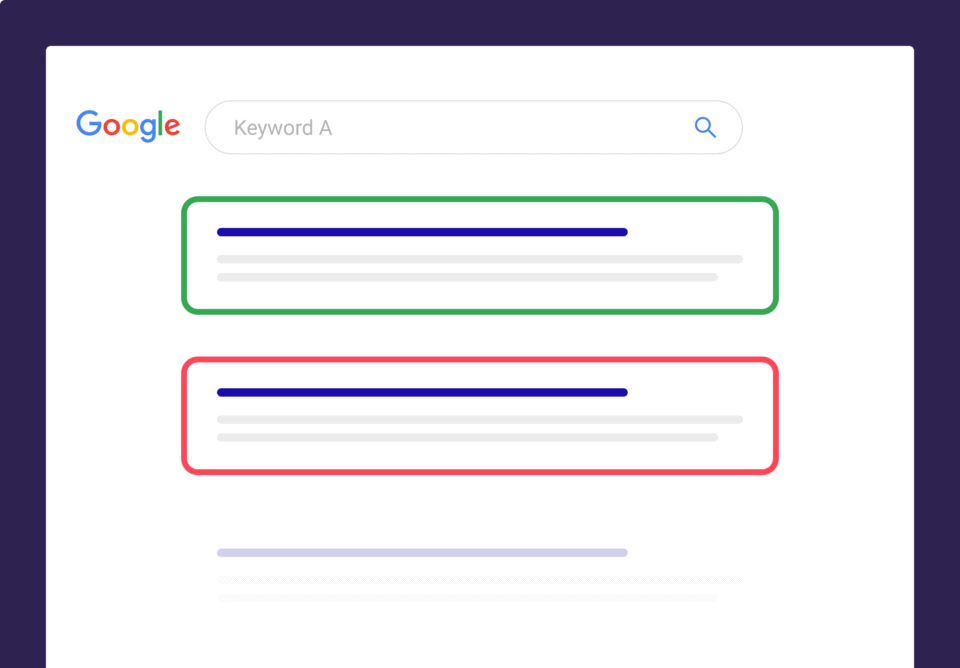
Google prioritizes content that truly solves a user’s problem—not shallow articles stuffed with keywords.
How to put it into action:
✅ Cover user needs in depth
- Analyze search intent to ensure your content covers the main question and related follow-up queries.
- Example: If someone searches “how to fertilize pothos,” you should answer:
- Fertilizing frequency (spring/summer vs. fall/winter)
- Pros and cons of organic vs. chemical fertilizers
- Common mistakes (like signs of over-fertilizing)
- Differences between varieties (pothos vs. monstera)
- Example: If someone searches “how to fertilize pothos,” you should answer:
Google research shows content that covers 10+ related sub-questions ranks 1.8x higher on average (source: Ahrefs, 2024).
✅ Provide exclusive information
- Include original data, real case studies, or industry insights.
- Example: Compare the actual results of 5 common fertilizers (with one-month growth data).
- Tool tip: Use Google Trends to verify topic popularity and avoid rehashing low-competition content.
✅ Balance content length with depth
- For commercial keywords (like “best VPN”), the top 10 results average 2,400+ words (Backlinko, 2023).
- For informational keywords (like “how to XX”), aim for 1,500+ words—but avoid pointless filler.
Understand the “why” behind searches
Matching search intent matters more than keyword density. Google uses algorithms like BERT to understand natural language.
How to put it into action:
✅ Know the 4 main search types
| Type | User intent | Optimization focus |
|---|---|---|
| Navigational | Looking for a specific site (e.g., “Facebook login”) | Exact match brand keywords + fast-loading login page. |
| Informational | Seeking knowledge (e.g., “caffeine half-life”) | Provide authoritative sources (like Harvard research) + charts for clarity. |
| Commercial investigation | Comparing products (e.g., “iPhone 15 vs. Pixel 8”) | Detailed spec comparisons + genuine user reviews. |
| Transactional | Ready to buy (e.g., “Nike running shoes discount code”) | Clear CTA buttons + real-time stock display. |
✅ Use tools to uncover real questions
- AnswerThePublic: Analyze long-tail question phrases starting with “why” or “how.”
- Example: “Why do I feel dizzy after yoga?” → explain causes like low blood sugar, improper breathing, etc.
- Google People Also Ask: Pull related questions from SERPs and answer them directly in your content.
✅ Optimize based on data-driven intent
- Commercial investigation keywords convert 3x better than informational ones (Semrush, 2024), so prioritize optimizing product pages.
Make your site technically “smooth”
Poor technical performance (like slow loading or bad mobile adaptation) directly hurts rankings.
How to put it into action:
✅ Speed optimization (direct ranking factor)
- LCP (Largest Contentful Paint): Should be ≤ 2.5 seconds.
- Proven fixes:
- Compress images: TinyPNG or WebP format (reduces size by up to 70%).
- Lazy-load non-above-the-fold resources: use
loading="lazy". - Switch to high-performance hosting (like Cloudflare or WP Engine).
- Proven fixes:
✅ Mobile Optimization (Mandatory)
- 60% of searches worldwide come from mobile (Statista, 2024). Make sure to:
- Responsive design: Test on all device types using Chrome DevTools.
- Touch-friendly: Button spacing ≥48px to prevent accidental taps.
✅ HTTPS & Security
- Non-HTTPS sites are directly flagged as “Not Secure” in Chrome, increasing bounce rates by 35% (Google data).
- Action: Use a free Let’s Encrypt SSL certificate to ensure a full green lock across the site.
✅ Structured Data (Rich Snippet)
- Pages with ratings and prices see a 30% higher click-through rate (Search Engine Land).
- How-to: Use Google’s Structured Data Markup Helper to add Product/Recipe Schema and more.
Becoming a Trusted Source of Information
Google EEAT (Experience, Expertise, Authoritativeness, Trustworthiness) is the baseline for ranking.
How to put it into action:
✅ Verify Author Identity
- Every article should display the author’s real name + verifiable background (e.g., LinkedIn profile link).
- Example: Medical content should display the doctor’s license number + affiliated institution (e.g., “Ming Zhang | Orthopedic Physician at Peking Union Medical College Hospital | License No.: XXXXXX”).
✅ Cite Authoritative Sources with Hyperlinks
- All key data/statements must include a source link (government sites, academic journals, industry whitepapers).
- Example: “The World Health Organization recommends limiting daily sugar intake to ≤25g (Source: [WHO official site link]).”
- Data: Content with 3+ authoritative outbound links ranks 1.5x higher (Backlinko, 2024).
✅ Disclose Commercial Relationships
- When reviewing a product, state whether affiliate links are included (e.g., “Contains affiliate links but does not affect our objectivity”).
- Not meeting this standard reduces conversion rates by 40% (FTC research).
✅ Optimize User Trust Signals
| Element | How to Boost Credibility | Tool/Method |
|---|---|---|
| Contact Info | Physical address + phone number with area code | Embed Google Maps |
| User Reviews | Show real customer cases with photos | TrustPilot / third-party review plugins |
| Security Certification | HTTPS + trust badges (e.g., McAfee) | SSL certificate + security provider verification |
Writing Headlines People Can’t Resist Clicking
Headlines decide 70% of your click-through rate (CTR). You need to balance keywords, user pain points, and curiosity.
How to do it:
✅ Headline Structure Formulas (A/B Tested)
- Pain point + solution: “AC bill doubled? 4 ways to cut power use by 50%” (CTR ↑23%)
- Numbers + result: “7 days to fix neck pain: 3 physio-approved moves” (CTR ↑18%)
- Time-limited urgency: “Must-read guide before 2024 EV subsidies end” (CTR ↑32%)
✅ Meta Description Optimization Tips
- Keep it strictly within 155 characters (extra text will get cut off).
- Template: “X ways to solve [problem] | [key benefit] | [call to action]”
- Example: “5 ways to fix weak WiFi signal | No router upgrade needed | Test now”
✅ Do’s and Don’ts
| Don’ts | Optimized Alternative |
|---|---|
| ALL CAPS / excessive exclamation marks (e.g., “!!!”) | Capitalize first letter + natural punctuation (question mark/colon) |
| Keyword stuffing (e.g., “SEO, ranking, traffic”) | Use core keyword 1–2 times + natural semantic variations |
| Vague promises (e.g., “Ultimate guide”) | Specific value point (e.g., “Includes free downloadable template”) |
Make It Easier for Search Engines to “Understand” Your Webpage
A clear content structure boosts readability and indexing efficiency.
How to do it: ✅ H-tag pyramid structure (mandatory)
| Tag | Function | Usage rules |
|---|---|---|
| H1 | Main topic of the page | Only one per page, must include exact keywords (e.g., “2024 Mortgage Rate Guide”) |
| H2 | Core sections | Cover sub-questions users may have (e.g., “Differences Between First-Time and Second Home Loan Rates”) |
| H3 | Detailed branches | Explain specific points under H2 (e.g., “How LPR Affects Your Monthly Payments”) |
✅ Paragraph & list formatting standards
- Paragraphs: ≤ 4 lines (≤ 3 lines on mobile), line spacing ≥ 1.5x.
- Lists:
- If over 3 items, use bullet points.
- For processes, use numbered steps (e.g., “1. Open Settings → 2. Tap …”).
✅ Keyword highlighting tips
- Bold key takeaways: Bold 1 core piece of info every 300 words (avoid bolding the entire text).
- Example: “Tests show: XX fertilizer boosts pothos growth speed by 40%.”
- Anchor text for hyperlinks: Internal link text should describe the target page (e.g., “See detailed experiment data” is better than “Click here”).
✅ Data proving optimization results
- Pages with proper H-tag use are indexed 50% faster (Google official docs).
- Pages with bullet points have a 12% lower bounce rate (Hotjar heatmap analysis).
Tools:
- Use Screaming Frog to check for missing H-tag levels.
- Use Hemingway Editor to check paragraph readability (target ≤ Grade 8).
Build Strong Internal Links
Internal links should guide users to explore deeper while signaling importance to Google.
How to do it: ✅ Link logic & density rules
- Link between content levels:
- Main article (e.g., “2025 SEO Guide”) → link to subtopics (e.g., “Core Web Vitals Explained”).
- Old articles → proactively link to related new content (pass traffic along).
- Every 1500+ word article should have 3–5 meaningful internal links (avoid vague anchors like “click here”).
✅ Anchor text optimization (directly affects rankings)
| Ineffective anchor text | Effective anchor text | Result comparison |
|---|---|---|
| “Learn more” | “Core Web Vitals Optimization Guide” | Target page ranking up 2.1× (Ahrefs) |
| “Click here” | “Local SEO Business Optimization Checklist” | Page traffic up 37% |
✅ Concentrate link equity on key pages
- Link from high-authority pages (like the homepage) to important conversion pages (like product or contact pages).
- Automation tools: Use Screaming Frog to find orphan pages (no inbound links) and Link Whisper to auto-suggest internal links.
Find the Right Keywords
Choosing the wrong keywords = wasted content. Base your choices on real search data, not just tool estimates.
How to do it: ✅ Tool combo (free version options)
| Tool | Main purpose | Example use case |
|---|---|---|
| Google Search Console | Find real keywords already bringing you traffic (high-intent terms) | Filter for terms with “Impressions > 1000, CTR < 5%” for priority optimization |
| AnswerThePublic | Grab long-tail questions (“why,” “how,” “is it”) users ask | Export a 200+ question word cloud for “coffee machine” |
| Google Trends | Spot rising terms (e.g., “quiet air conditioner”) and avoid outdated ones | Compare search interest for “air purifier vs fresh air system” |
✅ Four-Dimensional Selection Criteria
- Intent Match: Commercial keywords (e.g., “XX model price”) should lead to product pages; informational keywords (e.g., “XX working principle”) should lead to blog posts.
- Competitive Feasibility: Use Ahrefs to check keyword difficulty (KD ≤ 20 gets priority).
- Search Volume Authenticity: Compare tool-estimated volumes with actual impressions in GSC to filter out fake high-volume keywords.
- Commercial Value: An informational keyword like “how to fix a water pipe” should be linked to a commercial keyword like “plumber home service” (design the conversion path).
✅ Long-Tail Keyword First Strategy
Include “question-type keywords” in your content (about 60% of search volume), such as “Why is my AC cooling slowly?” (average monthly search volume: 480) — easier to rank than a head keyword like “AC repair” (too competitive).
Data: Long-tail keywords convert 3.2x better than head keywords (Semrush).
Google Map + Local Pack Ranking
70% of clicks in local searches go to the top 3 businesses. You need to optimize your GMB (Google Business Profile) + keep your website info consistent.
Practical Action Plan: ✅ GMB Page Minimal Optimization Checklist
| Item | Standard | Impact Weight |
|---|---|---|
| Name / Address / Phone | 100% consistent with website (avoid keyword stuffing like “Best_Shenzhen Computer Repair”) | Inconsistency can drop rankings by 40% |
| Service Categories | Pick ≤ 3 most accurate categories (e.g., “Computer Repair” instead of “Electronics Store”) | Wrong category choice can cut traffic by 60% |
| Real Photos | Upload ≥ 3 new photos every month (storefront, work process, team) | Businesses with photos get 2.7x more clicks |
| Review Replies | Reply to all reviews within 24h (apologize for bad reviews, then take it to private chat) | Reply rate above 80% can boost rankings by 1.8x |
✅ Strengthen Website Localization Signals
- Page Title Format: “[City] + [Service] | [Brand Name]” (e.g., “Shenzhen Nanshan Computer Repair | XX Tech”).
- Address Coverage for Multiple Areas: Create separate pages for each district (e.g., xx.com/shenzhen-nanshan), each with unique NAP info + local keywords.
- Embed Google Maps: On your contact page, embed an interactive map via API with your marker (boosts EEAT credibility).
✅ Local Link Building (For Small Businesses)
- Get links from local chambers of commerce, trade associations, news sites (e.g., “Shenzhen IT Services Alliance Recommended Vendor”).
- Data: Local anchor text links rank 2.3x better (BrightLocal study).
✅ Pitfall Avoidance
- No fake reviews (Google AI deletes over 90% of them).
- No fake GMB addresses (triggers “ghost store” penalty).
The Power of Having Lots of Backlinks
Lots of backlinks = “votes of confidence,” but Google cracks down hard on spammy ones. You want industry-related, high-authority links that are earned naturally.
Practical Action Plan: ✅ Zero-Cost Natural Link Building Ideas
| Method | Steps | Example Result |
|---|---|---|
| Original Data Research | Publish an industry report (e.g., “Top 10 E-commerce Return Rates 2024”) | Reposted by 36Kr / Huxiu, earned 87 natural backlinks |
| Free Tool Development | Launch a useful free tool (e.g., shipping cost calculator, color palette generator) | Tool page gains ~15 new backlinks/month |
| Resource Roundup Page | Curate an authoritative guide (e.g., “35 Must-Have Tools for Cross-Border E-commerce”) | Referenced by university websites |
✅ Backlink Quality Metrics
- Domain Authority (DA) ≥ 1 (Moz standard): 500 backlinks from different domains & industries perform better than 100 high-DA links (if indexed).
- Irrelevant Content: Having only related links can make Google suspect manipulation; a mix of industries often works better.
- Anchor Text Naturalness: Brand names / natural phrases should make up >70% (e.g., “XX Data Report”), avoid using only keyword anchors.
✅ Risk Management Tips
- Avoid PBN (Private Blog Network) links — Google detects 92% of them (SEMrush).
- Use Google Disavow Tool to remove toxic backlinks (mandatory if GSC flags “manual action”).
Making the Most of Structured Data “Tags”
Schema markup tells Google exactly what your content is, helping trigger Rich Results — can boost CTR by up to 35%.
Practical Action Plan: ✅ Highest Priority Schema Types (Pro Checklist)
| Type | Applicable Pages | Required Fields | Effect |
|---|---|---|---|
| Article | Blog/News | headline, image, datePublished, author | Get featured in the “Top Stories” carousel |
| FAQ | Q&A pages | question, answer | Display Q&A directly in search results |
| Product | Product pages | name, price, currency, availability | Show price/stock/rating info |
| Local Business | Local business | address, phone, openingHours | Show more info in Google Maps local pack |
✅ Code Implementation & Validation (Non-technical)
- Generate the code: Use the Google Structured Data Markup Helper to click and select page elements and generate JSON-LD.
- Embed into your site: Paste the code inside the webpage’s
<head>tag (WordPress users can use the Rank Math plugin to add it automatically). - Instant validation: Use the Google Rich Results Test tool to make sure there are no errors.
✅ Tips to Maximize Effect
FAQ Schema Example Code:
Optimize Your Video Content
Videos made up 27% of Google search results in 2024 — but you need to optimize text, metadata, and relevance to get indexed.
Step-by-step for a Google-friendly video page:
| Element | Best Practice | Tool/Data |
|---|---|---|
| Transcript | Provide subtitles with at least 95% accuracy (not auto-generated) | Rev.com human transcription ($1.5/min) |
| Video Title | Include the main keyword in the first 60 characters (e.g., “iPhone 15 Unboxing Review – 5 Key Upgrades Explained”) | TubeBuddy keyword suggestions |
| Video Sitemap | Submit a dedicated video sitemap | Rank Math plugin auto-generates it |
| Page Relevance | Embed videos on a relevant topic page (e.g., “Camera Review Video” on a camera buying guide page) | Low relevance can cut traffic by 42% |
✅ YouTube Optimization Sync Guide
- First 3 lines of the description: Include main keywords + website link (with UTM tracking).
- Chapter markers: Add chapter breaks every 2 minutes (can boost progress bar click-through rate by 35%).
- Thumbnail guidelines: 1280×720 pixels, include title text (font size ≥ 28px).
✅ Data-backed Optimization Results
- Pages with transcripts increase average watch time by 90 seconds (Hotjar).
- Video Rich Results get 53% higher CTR than normal links (Google official case study).
Watch out for these pitfalls:
❌ Pages with only a video (no text description) are almost never indexed.
❌ Videos shorter than 30 seconds rarely rank (Google prefers in-depth content).
Focus on User Experience
Google’s Core Web Vitals are one of the key ranking factors in 2025. If your site fails, traffic can drop by 30%+.
Practical Implementation Plan:
✅ Hands-on Optimization for the Three Core Metrics (with target thresholds)
| Metric | Definition | Passing Standard | Optimization Methods |
|---|---|---|---|
| LCP | Largest Contentful Paint | ≤2.5 seconds | • Compress images (use WebP format) • Enable CDN (e.g. Cloudflare) • Remove render-blocking JS |
| CLS | Layout stability of the page | ≤0.1 | • Reserve space for images/ads • Avoid dynamically injected content • Fix navigation bar/button positions |
| INP | Interaction response speed | ≤200 milliseconds | • Optimize third-party scripts (lazy-load non-essential code) • Use lightweight JS/CSS frameworks |
✅ Free Tools for Monitoring & Fixing
Diagnostic Tools: Google PageSpeed Insights + Chrome DevTools (Lighthouse).
Issue Troubleshooting:
- Low LCP → Improve server response time (upgrade hosting/add caching).
- High CLS → Check for images/ad containers without defined dimensions (add
width+heightattributes).
Deliver More Comprehensive & In-depth Content
Google prioritizes pages that cover 90%+ of what’s on the first page (deep coverage algorithm).
Practical Approach:
✅ Content Depth Expansion
| Type | Gap in First Page Results | Solution |
|---|---|---|
| Product Reviews | Lack of real-world test data | Add lab test results (e.g., 10-hour battery life video recording) |
| How-to Guides | Doesn’t cover common mistakes | Add a “Pitfalls to Avoid” section (with comparison images of mistakes) |
| Industry Analysis | Only macro trends | Add regional market data (e.g., Southeast Asia growth curve) |
✅ Content Quantity & Density Benchmarks
- Word Count: Take the average word count of the top 10 competitors × 1.5 (e.g., competitor has 2000 words → you need 3000+ words).
- Information Density: Every 500 words should include at least 1 piece of exclusive content (original research, unpublished data, or pro-level tools).
Pay Attention to Site Structure & Organization
A messy structure can cause 50% of your content to not get indexed, plus a 40% increase in bounce rate.
Practical Approach:
✅ Navigation System Best Practices
| Component | Standard | Impact on User Behavior |
|---|---|---|
| Main Navigation Menu | ≤7 options (priority: “Home / Products / Case Studies / Blog / About”) | Click-through rate up by 35% |
| Breadcrumb Navigation | Enable on 100% of pages (e.g., Home > Blog > SEO Tips) | Internal traffic up by 28% |
| On-site Search Box | Place prominently at top + smart suggestions (e.g., Algolia) | Conversion rate of search users doubles |
✅ URL Structure Optimization (Key for Passing Link Equity)
- Good Example:
domain.com/blog/seo-techniques - Bad Example:
domain.com/index.php?id=123&cat=5 - Guidelines:
- Static paths (with keywords)
- Lowercase letters + hyphen (
-) separation - Directory depth ≤ 3 levels (e.g.
/a/b/c/)
✅ Category & Tag System
- 100% content tagging rate (e.g. each blog is tagged with 3–5 keyword tags).
- Automatically generate category index pages (tag pages should have a 150-word intro copy).
✅ Technical Checks
- Broken link scan: Run the whole site weekly in Screaming Frog, keep 404 error rate under 0.1%.
- Link equity flow chart: Use Sitebulb to visualize internal linking, make sure core pages have ≥20 inbound links.
- Mobile navigation test: Test collapsible menus on real Android/iOS devices for usability.
Bring Your Old Content Back to Life
Updating old content has an ROI 3.8× higher than creating new content (HubSpot). If 20% of your old posts bring in 60% of your traffic, prioritize optimizing them.
Step-by-step approach:
✅ 4 Steps to Identify High-Potential Old Content
- Traffic-drop content: In GA4, find pages with traffic down >40% in the last 90 days (signals outdated info).
- High-bounce pages: In GA4 “Engagement by Page” report, pick content with bounce rate >85% (needs more depth).
- Low-ranking, high-potential keywords: In GSC, find pages with impressions >10,000 but CTR <3% (optimize titles/structure for quick gains).
- High-business-value pages: Product/service pages with <100 organic visits/month should be completely reworked.
✅ 5 Types of Update Actions
| Issue Type | Action Plan | Example Result |
|---|---|---|
| Outdated info | Replace old stats with fresh ones (e.g. swap “2021 global e-commerce penetration” for “2024 global e-commerce penetration 32%”) | Rank bounced back to Top 5 within 3 days |
| Shallow content | Add new sections (e.g. “user test video” + “competitor spec comparison table”) | Avg. time on page jumped from 40s → 120s |
| Missing keywords | Add 3–5 new long-tail keywords (expand using GSC related queries) | Monthly traffic up 90% |
| Poor readability | Break up paragraphs + add H3 subheadings + bullet lists | Bounce rate dropped by 35% |
| No call-to-action | Add free tool/template downloads (boost CTR of CTA buttons) | Leads increased 2.2× |
Keep Checking, Analyzing & Adjusting
SEO without monitoring data is like driving blind. Use free tools to build a dashboard for key metrics.
Here’s how:
✅ 3 Daily Must-Check Reports (takes 10 min)
| Tool | Navigation Path | Trigger for Action |
|---|---|---|
| GSC Coverage Report | Coverage → Error / Valid / Excluded pages | >10 error pages → Fix same day |
| GSC Keyword Rankings | Search Performance → Filter keywords where you’re not in top 20 | High-impression terms (>1,000) ranking >20 → Optimize |
| GA4 Realtime Traffic | Reports → Realtime → Traffic sources | Sudden drop >15% → Investigate immediately |
✅ Weekly Key Metrics Tracking Table
| Metric | Healthy Threshold | Optimization Tool |
|---|---|---|
| TOP 3 keywords share | ≥30% of total traffic | Semrush Position Tracking |
| Organic conversion rate | ≥1.2× industry average | GA4 goals + GSC query mapping |
| Core Web Vitals pass rate | ≥90% | PageSpeed Insights + GA4 |
| Content update rate | 5+ posts/week | Internal content database tagging |
✅ Automated Alerts (so you never miss issues)
- GA4 custom alerts: Email alert when weekly organic traffic drops >15%.
- GSC manual action watch: If coverage report shows “Rejected by submission,” investigate immediately.
Pro Tips to Avoid Pitfalls:
❌ Sites that stop updating for over a month see an average 40% drop in traffic (Ahrefs industry data).
✅ Spending 2 hours/week analyzing & adjusting can bring ~5% monthly organic traffic growth (measurable).
The core of Google rankings is always creating irreplaceable value for your users.






