



















For a newly launched website, being enthusiastic about SEO is great—but it’s also easy to overlook some basic yet critical things without realizing it.
Let’s talk about the 5 most common SEO pitfalls for new websites:
- How to submit your site for indexing
- How to choose the right keywords to focus on
- What qualifies as “good” content
- How to structure your site internally
- How often you should update your content
For each point, we’ll offer clear and actionable advice you can follow.
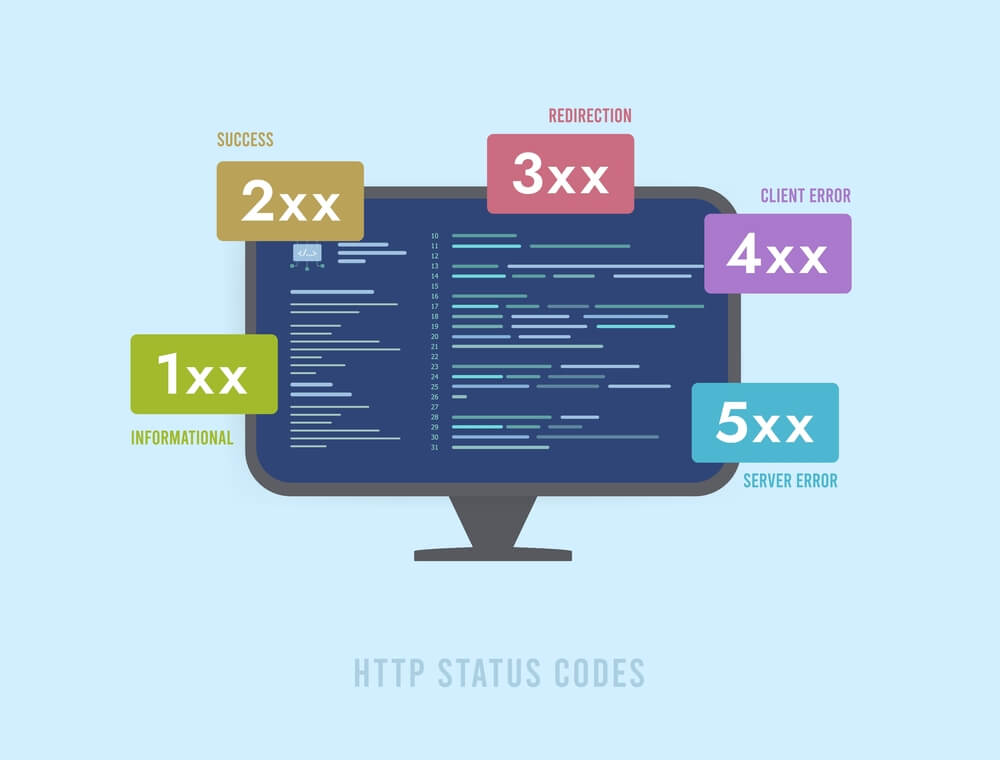
If your basic settings are off, your site sends out “no signal”
For example, if you forget to notify search engines your site is live, skip submitting a sitemap, or accidentally block content that shouldn’t be blocked—then no matter how great your content or page optimization is, search engines might not even see it.
Common oversights for new sites:
Forgot to “check in”: Didn’t register/verify with search engine tools
What that means: After launching your site, you didn’t go to Google Search Console (GSC) or Bing Webmaster Tools to register and verify ownership. These are your official communication channels with search engines.
- Why it matters: Search engines might eventually discover your site through backlinks, but that could take a long time. More importantly, you lose access to essential data (like indexing status, search terms, crawl errors) and can’t manually submit your URLs—basically flying blind when it comes to your site’s SEO health.
No sitemap submitted: Forgot to create or submit an XML Sitemap
- What that means: You didn’t create an
XML Sitemapfile after launching, or you made one but didn’t submit it to GSC or Bing Webmaster Tools. This file lists all the key pages of your site (like a directory). - Why it matters: Search engine bots rely on this to efficiently discover your pages—especially if your internal links aren’t solid yet (which is common for new sites). Without a sitemap, bots might miss deeper pages and leave them out of the index entirely.
Wrong lock on the front door: Misconfigured robots.txt
- What that means: The
robots.txtfile, located in your site’s root directory, tells search engines what they can and can’t crawl. Common mistakes include:Disallow: /(accidentally blocks the entire site).- Blocking critical
CSSorJavaScriptfiles (so search engines can’t render your pages correctly). - Forgetting to add an
Allowrule or link to yourSitemap.
- Why it matters: If your whole site is blocked, you’ve essentially slammed the door in Google’s face—it won’t index anything. Blocking layout files means Google can’t understand how your pages look or function, hurting both indexing and page quality scores.
Bad mobile experience: Site isn’t mobile-friendly
- What that means: When users visit your site on a phone, they have to zoom in to read text, buttons are hard to tap, or the layout is broken. This usually happens because:
- You’re using an outdated desktop-only design.
- Your responsive layout isn’t actually working well.
- Why it matters: Most searches now happen on mobile. Google has officially moved to
mobile-first indexing. If your site performs poorly on mobile, users will bounce fast, and Google will treat your site as low quality—meaning you’ll barely show up in mobile search results.
Slow as a snail: Your site is too slow
- What that means: If your site takes too long to load (anything over 3 seconds risks losing users), common causes include:
- Uncompressed or oversized images (way bigger than needed).
- Poor server performance or cheap shared hosting.
- Bloated code, too many plugins, or no caching enabled.
- Why it matters: Speed is a key ranking factor in Google’s algorithm. A slow site leads to poor user experience and high bounce rates. Also, search engines have limited time to crawl your site—if pages load slowly, fewer of them get indexed efficiently.
How to Fix It (Step-by-Step Guide)
Sign Up & Verify with Search Engine Tools (Must Do!)
- Go to
Google Search ConsoleandBing Webmaster Tools. - Select “Add Property” and enter your website URL (make sure it starts with
https://). - Follow the instructions to verify ownership (recommended: HTML file upload or DNS record method).
- Key Point: Do this for BOTH platforms! It’s the foundation. Everything else like checking and submitting depends on this step.
Create and Submit an XML Sitemap (Beginner-Friendly Tools)
- Most CMS platforms (like WordPress) have SEO plugins (like Yoast SEO, Rank Math, All in One SEO). Once installed and activated, they usually auto-generate a
sitemap.xmlfile. You can view it by going to/sitemap_index.xmlor/sitemap.xml. - If you don’t use a CMS or plugins, you can use online tools (like
xml-sitemaps.com) or more advanced tools likeScreaming Frog SEO Spider(note: free version has limits). - Upload the generated sitemap file (usually
sitemap_index.xml) to your website’s root directory. - Log in to GSC and Bing WMT ->
Sitemaps-> enter the full URL of your sitemap -> submit it.
Check & Fix robots.txt (Make Sure It’s Accessible)
- Go to
https://www.yourdomain.com/robots.txtto check its contents. - For new sites, here’s a safe default version (ensures everything can be crawled):
- Upload this file to your site’s root directory.
- Use GSC’s
robots.txt Tester(under “Legacy tools and reports”) to check for issues. Make sure your important pages are allowed to be crawled!
Make Sure Your Site Works on Mobile (Responsive Design is Best)
- Use Responsive Design: This is Google’s best practice. Your layout will adapt to all screen sizes, so one codebase works for both desktop and mobile.
- Test Thoroughly:
- Google’s
Mobile-Friendly Testtool:https://search.google.com/test/mobile-friendly– just enter your URL to see results and potential issues. - Test your site on different real mobile devices (various brands, systems, screen sizes). Check things like: Is the text easy to read? Are buttons easy to tap? Does it load fast? Is the layout broken? Is scrolling smooth?
- Google’s
- Ask the developer to make changes and improvements based on the test results.
Improve Website Speed (Tackle the Core Issues)
- Compress and Optimize Images:
- Use tools like
TinyPNG,Squoosh.app, or WordPress plugins likeSmushto significantly reduce image file sizes without sacrificing much quality. - Make sure your image dimensions match the actual display needs (for example, don’t upload a 2000px wide image if it only needs to display at 500px).
- Use tools like
- Enable Caching:
- Use plugins (like WP Super Cache or W3 Total Cache for WordPress) or configure server-side caching.
- Consider using a
CDN (Content Delivery Network)such as Cloudflare or StackPath, which caches your site’s files on servers closer to your users to speed up loading times.
- Evaluate Your Hosting: If your site is still slow and doesn’t have much content, consider switching to a better hosting provider (like a faster shared hosting plan or a VPS). You usually get what you pay for, especially when it comes to hosting.
- Use Diagnostic Tools:
Google PageSpeed Insights(https://developers.google.com/speed/pagespeed/insights/) – Just enter your URL and get a detailed performance score and specific optimization suggestions (for both desktop and mobile).GTmetrix(https://gtmetrix.com/) – Also gives you an in-depth analysis report.- Key Point: Prioritize fixing the biggest issues identified by these tools (usually under “Opportunities” or “Diagnostics”).
Targeting the Wrong Keywords – Wasting Effort in the Wrong Direction
Many new websites make the mistake of going after high-volume but highly competitive keywords—ones they simply can’t rank for;
Or they choose keywords that don’t match what users are actually looking for, so the traffic they attract isn’t even their target audience;
Or they stuff keywords into their content so awkwardly that it’s hard to read.
If your direction is off, all your later SEO efforts might end up being a waste of time.
3 Common Keyword Mistakes New Sites Make
Mistake #1: Chasing After “Big Keywords” Blindly
- The Core Issue: New sites target keywords with huge monthly search volumes (tens of thousands or more), but these are extremely competitive. For example, a small local yoga studio trying to rank for terms like “yoga” or “fitness.”
- Why It’s a Mistake:
- Too Much Competition: These broad terms are dominated by big-name websites and authoritative brands. New sites lack the domain authority, content depth, and backlinks to compete, making it nearly impossible to rank in the top results.
- Unclear User Intent: People searching for “yoga” might want information, videos, local classes, online courses, or product recommendations. Their intent is all over the place. A small site can’t cater to all of that.
- Low Conversion Potential: Even if you somehow get some traffic, it’ll be so broad that very few visitors will actually turn into customers (like signing up for a class).
Mistake #2: Ignoring Search Intent – Keyword Doesn’t Match Content
- The Core Issue: You picked a keyword but didn’t research what users actually want when they search it, so the content you create totally misses the mark.
- Why It’s a Mistake:
- Poor Match: Say someone searches for “how to fix a coffee machine that’s not dispensing water.” Their intent is to find a step-by-step troubleshooting guide. If your page is just about “Top 10 Coffee Machines,” even if you include that phrase, it won’t help them solve their problem—and they’ll bounce fast.
- Hurts User Trust: When your content doesn’t deliver what users want, they get frustrated, leave quickly, and your bounce rate spikes. Search engines notice that and may lower your rankings.
Mistake #3: Keyword Stuffing – Doing More Harm Than Good
- The Core Issue: In an attempt to make a page more “relevant” for a keyword, people cram it repeatedly into titles, body text, and meta descriptions, completely ignoring natural flow.
- Why It’s a Mistake:
- Ruins the Reading Experience: The article reads awkwardly, like it was written by a bot—not a great experience for your readers.
- Risk of Penalties: Search engines like Google are smart. They can detect keyword stuffing, which is considered spammy behavior. Not only will this not help your rankings, but it might actually hurt them.
- Missed synonyms/related terms: Focusing too much on exact keyword matches can make you overlook other ways users might phrase the same thing.
What should you do? (Find the right direction and aim accurately)
Core strategy: Find your “niche blue ocean” – Use niche terms, local terms, and long-tail keywords wisely
- Why? These keywords might have lower individual search volumes (maybe dozens or a few hundred searches per month), but they have much lower competition, the user intent is clearer and more specific, and for new sites, it’s easier to rank and convert better.
- Niche/industry-specific keywords: Focus on your expertise within a specific niche. Like in the yoga studio example: “beginner hatha yoga,” “office neck and shoulder yoga stretches.”
- Local keywords: If your business has a physical location or local services, you must include location terms. For example: “private yoga classes in Chaoyang District, Beijing,” or “small neighborhood yoga studio nearby.”
- Long-tail keywords (the real key!): Usually phrases with 3 or more words. They describe very specific user problems or needs. For example:
- Informational: “how long should yoga beginners practice daily”
- Problem-solving: “why does my back hurt after yoga”
- Buyer intent: “best value yoga membership in Chaoyang District”
- Local service: “weekend in-home private yoga teacher in Haidian”
How to find good keywords efficiently? Use these tools (both free & paid)
Google’s own insights:
- “People also ask”/“Searches related to”: Google your core term and check the middle and bottom of the results page. These areas give you tons of related long-tail questions.
- Google Trends: Check search trend data and location heatmaps (
https://trends.google.com/).
Google Ads Keyword Planner (requires an ad account): Enter your seed keywords (core business terms) and get lots of keyword suggestions, estimated search volume, and competition levels (based on ad bidding, but also helpful for SEO difficulty).
Free tools (basic features):
- Ubersuggest (by Neil Patel): Suggests keywords, estimated traffic, difficulty, and even content ideas (
https://neilpatel.com/ubersuggest/). - AlsoAsked: Visualizes chains of related questions around a core term so you can understand user intent more clearly (
https://alsoasked.com/).
Paid professional tools (in-depth data):
Semrush, Ahrefs, Moz Keyword Explorer: These offer the most complete keyword databases, search volume, keyword difficulty (KD) scores, competitor analysis, and long-tail keyword expansion. New sites can try free trials or entry-level plans.
You must understand: what does the user *really* want? (Search intent analysis)
- Core approach: When you see a keyword, ask yourself: is the user trying to learn something? compare products/services? take action? buy something? find a specific place?
- Intent types & how to respond:
- Informational (Know): The user wants to learn something (like “origin of yoga,” or “types of breathing techniques”). → Give clear, comprehensive, and trustworthy guides or explanations.
- Navigational (Navigate): The user wants to find a specific site or page (like “XXX yoga official site”). → These are usually branded searches.
- Transactional (Do/Buy): The user wants to buy or take action (like “buy yoga mat,” or “book a trial yoga class”). → Your page should clearly show product/service benefits, prices, and CTA buttons.
- Commercial investigation (Compare/Research): The user is researching before buying (like “Liforme vs Manduka yoga mat comparison”). → Provide honest, detailed comparisons and pros/cons.
- Real-world tip: Just Google the keyword and look at the top-ranking pages — are they blog posts, product pages, Q&A sites, or shopping platforms? That tells you what Google thinks the intent is.
How to naturally work keywords into your content?
- Core Principle: Put users first, focus on content, and let keywords appear naturally.
- Title is prime real estate: Your
<title>tag and H1 heading should include your main target keyword—ideally the most specific and intent-matching one. - Intro and key paragraphs: Mention your core keywords and their variations (synonyms, related terms) naturally in the first couple of paragraphs. Later in the article, make sure important sections still revolve around these terms—but avoid keyword stuffing.
- Include keywords in the URL: If possible, keep it clean and simple, and include the main keyword (like
www.yourdomain.com/beijing-yoga-private-lessons). - Don’t skip ALT text on images: Use relevant keywords when describing images. For example, if it’s a yoga session, the ALT text could be “One-on-one professional yoga coaching in Chaoyang District.”
- Use synonyms and related terms: Don’t just repeat the same keyword over and over. Use natural alternatives, umbrella terms (“yoga” could also be “Hatha yoga,” “flow yoga,” “yoga practice”), and situational terms (“relaxation,” “flexibility,” “meditation”) to enrich your content and broaden your search reach.
- Meta description should be click-worthy: While it doesn’t affect rankings directly, it can boost your click-through rate. Within about 155 characters, write something compelling that includes your target keyword and explains why users should click.
Short or shallow content won’t get love from Google
If you’re launching a new website and want to rank, content creation is absolutely key.
But new sites often fall into two traps: either the content is too short and superficial—like a rough outline—or it’s filled with fluff and lacks real insights or useful info.
Google’s core algorithm is designed to find the content that best solves users’ problems and delivers the most value.
Signs your content is “too short or too shallow”
Sign #1: Not enough information, just scratching the surface
- What it looks like: The article is really short (like under 600 words), only gives a basic intro to the topic, and lacks details, explanations, steps, examples, or context. For instance, an article on “how to choose coffee beans” that just lists bean types but doesn’t explain flavor profiles, roast levels, or buying tips.
- Why it’s bad: It doesn’t help users really understand the topic, so they leave quickly. That leads to low time on page and high bounce rates. Search engines see this as a signal that the content doesn’t go deep enough to satisfy user intent.
Sign #2: Off-topic or irrelevant filler content
- What it looks like: To make the article longer, it includes lots of content that’s loosely related—or totally unrelated—to the main topic or target keyword. Basically, fluff.
- Why it’s bad: It distracts readers and waters down the core message. This hurts the user experience and weakens your authority on the main keyword in the eyes of search engines.
Sign #3: Repetitive or lacking original insights
- What it looks like:
- Basic mashup: Just combining content from a few similar articles online without adding any new perspective, data, or real-life experience. Feels like déjà vu.
- Heavy paraphrasing: Swapping synonyms and tweaking sentence structure, but the core content is still copied from others.
- Why it’s bad: There’s no unique value, so users and search engines alike won’t trust it. Google’s algorithms are good at spotting low originality and high similarity. Pages like this almost never rank well.
Sign #4: Poor structure and readability
- What it looks like: Long walls of text with no paragraph breaks, no clear hierarchy (missing H2/H3 headings), no lists, bolding, or images to break things up, and poorly written sentences or misused terms.
- Why it’s bad: Even if someone lands on your page, they’ll leave because it’s hard to read. Readability is key to good user experience, which is a major signal for Google rankings (like the E in EEAT: Experience). Bad structure also makes it harder for search engines to understand your content.
Sign #5: Over-relying on images/videos instead of text
- What it looks like: Important info (especially steps, specs, or instructions) is only shown in images or videos, with little to no accompanying text.
- Why it’s bad: Search engines mostly rely on text content to understand a page. While they can read ALT text, video titles, and captions, they can’t extract text from images or video frames. So your core message may appear empty or incomplete to Google.
What to do instead? (Key principles and practical tips for useful content)
Key Principle: Aim for the “Value Triangle” – Comprehensive + Unique + Practical
- Comprehensive: Cover the main topic thoroughly, and also address related questions your audience might have.
- Unique: Add original insights, new data, real examples, or firsthand experience that makes your content stand out. Don’t settle for “having content”—aim for “better, deeper, or fresher content.”
- Practical: Make sure your content truly helps people solve a problem, take action (“I can do this right after reading”), or make informed decisions (give clear comparisons, evaluations, etc.).
Deeply Understand User Needs (Pre-Writing Research You MUST Do)
- Check Out Top-Performing Competitor Content: Analyze what key points are covered on top-ranking pages. What follow-up questions are people asking in the comment sections? (These often reveal unmet needs you can address.)
- Explore Long-Tail Keywords: Use keyword research tools (see Part 2) or Google’s “People also ask” box to find related questions. These give you a sense of the breadth your content should cover. For example, long-tail terms around “choosing coffee beans” might show users care about “acidity,” “regional flavor profiles,” “best for espresso vs pour-over,” or “recommendations for beginners.”
- Think Like a User: Put yourself in the shoes of a total newbie (or a seasoned expert). What would *you* want to know about this topic? What questions or concerns might come up? What details would matter?
Build a Solid and In-Depth Content Framework
- Stick to One Core Topic: Aim to deeply solve one specific problem per article (based on your main target keyword). Avoid going off-track. Shallow content often tries to cover too much and ends up saying very little.
- Make the Structure Clear:
- H1 Title: Should clearly include the core keyword and what the article promises to deliver.
- Intro: Highlight why this topic matters and what problems or questions the article will solve (so readers can quickly decide if it’s worth reading).
- Body: Break the topic down logically (use H2/H3 subheadings). Each section should clearly address a specific sub-topic.
- How-To Guides: Background info → Step-by-step guide (with examples) → Common issues or pitfalls to avoid.
- Product/Service Comparisons: Define criteria → Compare products side by side → Summarize with usage recommendations.
- Concept Explanations: Definition → Why it matters → Real-world use cases → Examples.
- Conclusion & Call to Action/Further Reading: Recap the key points, offer next-step suggestions, or link to related resources.
- Right Content Length for the Job: Don’t force it to be 2000+ words, but make sure the core topic is covered thoroughly. If it takes 1500 words to explain flavors, regions, roasting, processing, buying tips, and storage for “choosing coffee beans,” then write 1500 words.
Add Your Unique Value
- Include Original Research or Data: If you can do small user surveys, product tests, or pull together unique data (not just quoting others), it makes your content way more convincing.
- Share Real Stories or Experiences: Use things like “We had a client who…” or “When I tested this, I found…” to build trust and relatability.
- Give Your Own Take or Critical Analysis: In your summaries or comparisons, share your own insights based on expertise. Don’t just repeat what others say. Point out outdated methods or controversial claims.
- Create Exclusive Resources: Things like downloadable checklists, templates, or comparison charts can be great reasons for users to share or come back.
Make It Visually Engaging (Improve Readability & UX)
- Keep Paragraphs Short: 3–5 sentences per paragraph is ideal. Avoid big walls of text.
- Use Formatting Tools Wisely:
- Bold key points (but not whole sentences).
- Bulleted lists (
-*): For items and takeaways. - Numbered lists (
1.2.): For step-by-step instructions. - Custom bullets (
□■‣): Use sparingly to highlight special items.
- Images Are Powerful Tools:
- Use high-quality, relevant images, charts, or diagrams.
- Always write good Alt text: Describe the image content and how it supports the content (this is critical for SEO).
- Use visuals to help explain complex ideas or workflows more clearly.
- Make It Easy to Read Aloud: Read your writing out loud to catch awkward phrasing. Avoid jargon unless absolutely necessary—and explain it the first time you use it.
Keep Your Content Fresh
- Review Regularly: For your key pages, do a check every 6–12 months:
- Is any info outdated? (Stats, laws, product changes)
- Any new updates worth adding?
- Have users asked new common questions that you should include?
Disorganized link structure
A new website often has a messy internal link setup—important content is buried too deep, related pages aren’t connected, and anchor text is vague. That makes it hard for both users and search engines to find what they’re looking for.
This frustrates users and makes it harder for search engines to discover and index your valuable content.
Why do people get “lost”?
Issue 1: Key pages are hidden away (click depth too high)
- Signs: Core content pages (like detailed service descriptions or main tutorials) aren’t linked from the homepage or main navigation. Users and crawlers need to click 3+ times to reach them.
- Problems:
- Poor user experience: People can’t find the key info and leave frustrated.
- Indexing issues: Search engines have a crawl budget and depth limit. Important deep pages might be skipped or crawled less often, which delays indexing or updates.
- Weaker link equity: The deeper a page is, the less link authority it gets from top pages (like the homepage), which can hurt its rankings.
Issue 2: “Isolated islands” and “dead ends”
- Signs:
- Too few internal links: Important blog or product pages aren’t linked from other related pages (isolated islands).
- No related links: There are no suggestions at the bottom or sidebar guiding users to more relevant pages (dead ends).
- Problems:
- Break in reading flow: After finishing the page, users don’t know what to read next, so they leave.
- Inefficient crawling: If crawlers reach a page without links to other key content (especially newer ones), they may stop exploring, meaning those pages won’t get discovered.
- Weakened topical relevance: Without internal links, it’s harder for search engines to see how related content builds up into a strong “topic cluster.”
Issue 3: Vague or unrelated anchor text
- Signs: Internal links use generic phrases like “click here,” “read more,” or “details” that don’t describe the linked content.
- Problems:
- Poor UX: Users can’t tell where the link leads, so they have to guess or backtrack.
- SEO loss: Anchor text helps search engines understand what the linked page is about. Generic phrases like “click here” offer almost no SEO value. Descriptive anchor text like “Learn about our advanced SEO audit service” gives both users and search engines a clear idea of what to expect.
Issue 4: Confusing or missing navigation
- Signs:
- Top navigation is too complex or illogical.
- No breadcrumb navigation, or breadcrumbs are inaccurate.
- No site search function, or it doesn’t work well (users can’t quickly find what they want).
- HTML sitemap page is outdated or missing (the one for users).
- Problems: Users can’t find what they need, which lowers page views and time on site, damaging the overall experience.
What should you do? (Build a clear internal link structure)
Principle 1: Plan a flat site structure
- Goal: Make sure important pages are as close to the homepage as possible (within 3 clicks).
- How:
- Simplify your main nav: Homepage → key category pages (like “Services,” “Products,” “Blog”) → detailed pages.
- Use sidebars and footers: Add links to important secondary pages (like “About Us,” “Contact,” or “Resource Center”) that don’t fit in the top nav.
- Make it flat: Promote key content to higher levels. For example, “/service/detail-page” is flatter and easier to access than “/category/sub-category/service/detail-page.”
Principle 2: Weave a rich, semantically relevant internal link network
- Make the most of in-content links:
- Where: Inside the article text, when you mention a concept or info that relates to another page, naturally and meaningfully insert a link to guide readers deeper. These are the highest-value links.
- Pro tip: After writing your content, re-read it and think about where you can naturally link to other resources on your site (guides, product pages, explanations, case studies).
- Boost “related content” sections:
- Where: At the end of the article or in a visible sidebar.
- What: Sections like “You might also like,” “Related articles,” or “Related products/services.”
- Manual vs. Auto: At first, handpick pages that are highly relevant. Later, you can use CMS plugins (like WordPress’s “Yet Another Related Posts Plugin”) or tagging-based algorithms to recommend them automatically.
- Smart Use of Breadcrumb Navigation:
- Format:
Home > Category > Subcategory (optional) > Current Page Title - Purpose: Clearly shows where the page sits in the site’s structure, making it easier for users to go back to a previous level or the homepage. It also helps search engines understand the page hierarchy.
- Ensure consistency and accuracy: Every level should be clickable, and categories should be correctly assigned.
- Format:
Principle 3: Create High-Value “Signposts” (Optimize Anchor Text)
- Key Idea: Keep it clear, concise, and descriptive of the target page!
- How to do it?
- Avoid: “Click here,” “Learn more,” or “Details.”
- Use: Anchor text that includes the main keyword of the target page or a clearly descriptive phrase.
- Good examples:
Check out the best coffee makers of 2023/Read the full step-by-step WordPress installation guide/Explore our Chicago office cleaning services
- Good examples:
- Make it flow naturally: Anchor text should fit smoothly into the sentence. Don’t force keywords in awkwardly.
- Diversify (but stay relevant): When linking to the same page from different places, vary the anchor text—just make sure it’s still relevant (this helps avoid over-optimization).
Principle 4: Manage Your System & Keep Things Running Smoothly
- Make good use of your XML sitemap: While a visible sitemap is great for users, don’t forget to submit an XML sitemap (
sitemap.xml) to search engines. It helps crawlers find new or hard-to-reach pages. (It’s a supplement, not a replacement for internal links.) - Regularly check for broken links (404 errors):
- Tools: Google Search Console’s “Coverage Report”; free tools like
Dead Link Checker,Xenu’s Link Sleuth; or paid tools like Screaming Frog, Ahrefs, SEMrush site audits. - Fixes:
- Page still exists (but the URL changed) → Use a 301 permanent redirect to the new address (best practice!).
- Page is gone but there’s a good alternative → 301 redirect to the closest matching page.
- No alternative → Create a custom 404 page to gently guide users back or help them search your site.
- Tools: Google Search Console’s “Coverage Report”; free tools like
- Keep navigation and URL structures clean: Make sure the link text in your main nav and breadcrumb trails matches the actual page titles. Use clear, keyword-rich URLs—only if the overall structure makes sense.
Inconsistent Content Updates
Some new sites start strong, pumping out lots of content early on, but then go quiet for weeks—or even months—giving the impression they’ve run out of steam.
Others go the opposite route—pushing to meet a publishing schedule, they end up posting rushed, low-value “filler” content. The quantity is there, but the quality doesn’t hold up.
Google watches for steady, consistent, in-depth updates—or thoughtful refreshes of existing high-quality content. This sends a strong signal:
The site is active, valuable, and continuously improving over time.
Risks of Unstable Publishing Patterns
Issue 1: “Cliff Drop” in Content Updates (Too Few or Complete Pause)
- What it looks like: The site launches with a few posts, then publishing slows way down—months between updates, maybe even total silence.
- Why it’s a problem:
- Lost indexing & ranking opportunities: Search engines are more likely to revisit sites that update regularly. If your site goes silent, crawlers may stop checking as often, slowing down new content indexing.
- Less appeal for users: Without fresh content, users have fewer reasons to come back. This reduces engagement and repeat traffic.
- Negative signal to search engines: It suggests your site might be inactive or no longer providing value—hurting long-term credibility and trust.
Issue 2: “Watered-Down” Updates (Too Fast, Too Sloppy, Too Generic)
- What it looks like: Trying to meet an aggressive schedule (like “daily posts no matter what”), you rush out a bunch of content that:
- Is shallow or lacks real value (“fluff pieces”).
- Feels too broad or strays from your core focus/business.
- Is cobbled together, copied, or low-quality “original.”
- Impact:
- Lowers overall site quality: Too many “fluff pieces” can drag down your site’s overall content quality score, hurting the authority of your key pages.
- Wasted resources, low ROI: Creating and publishing these low-value articles burns time and energy, but brings little useful traffic or conversions.
- Search crawler waste: Search engines still crawl these low-quality pages, eating up limited crawl budget — which could delay indexing more important content.
- Hurts user experience and trust: If visitors click in and see “fluffy” content, they’ll feel disappointed and may stop trusting your site.
Problem #3: Ignoring your existing content’s “depreciation and potential” (aka never maintaining it)
- What it looks like: You’re only focused on publishing new stuff, while ignoring older articles — even the ones that used to perform well — letting them go outdated, with old data or broken links, and never updating anything.
- Why it’s a problem:
- Outdated info misleads users: Content that’s no longer accurate loses its value fast — and can even be harmful (e.g., if laws, prices, or tech have changed).
- Ranking drop risk: When users see your content is outdated (especially compared to fresher content elsewhere), they’ll bounce quickly — which sends negative signals to search engines and drops your ranking.
- Untapped potential: Some pages with basic rankings could grow much more with a little updating — missing this is a big waste.
- Lost evergreen value: Key evergreen content can stay valuable long-term — if you keep it updated.
What should you do? (Build a sustainable “update rhythm”)
Core principle: Quality > Quantity, Sustainability > Bursts
- Let go of the “daily/weekly post” obsession: Not every new site can afford to publish high-quality content at a high frequency. Instead, find a rhythm you can realistically stick with. Even if that means monthly quality updates + old content maintenance, it’s 100x better than daily fluff. The key is consistency and delivering value.
- Focus on real problem-solving topics: Every new piece should be tightly aligned with your core business and your audience’s real needs. Use keyword research, user feedback, and industry trends to guide you. Don’t just write for the sake of filling content gaps.
Find your “golden rhythm” (the secret to sustainable updates)
- Assess your resources: Be honest about your content capacity (time, people, budget). Are you solo? Maybe you can do one deep-dive article a week. Small team? Maybe one new post every two weeks plus one old post update?
- Set realistic goals: Based on your resources, define an update schedule you can stick to long-term and maintain minimum quality. (Examples: 1 post/week; or 1 post + 1 update every 2 weeks; or 2-3 solid long-form articles per month.) Write this into your plan!
- Build a content buffer: When you’re inspired or have extra time, create 2-3 high-quality pieces in advance. Use this backup content during busy weeks or writer’s block to stay consistent without burnout.
New content publishing: Focus on value and depth
- Quality over quantity: If it doesn’t meet the bar for “valuable and problem-solving,” delay publishing. One strong article is worth more than ten weak ones.
- Use data and research: Back up your points with real examples, up-to-date stats, and visuals. Even in niche fields, strive for content that’s “small but mighty.”
- Unlock hidden value: Embrace the “refresh old content” strategy (super cost-effective!)
- “Content maintenance” counts as updates: Updating doesn’t just mean adding new stuff — it also means keeping existing content accurate and complete.
- Identify what needs updating: Focus on two areas:
- Content with decent rankings (some traffic) that’s starting to feel outdated.
- Core guides that could become evergreen with a bit of love.
- Actionable content upkeep checklist:
- Update time-sensitive info: Replace outdated data, laws, prices, contact info, product details (versions/features), and any quoted stats.
- Fill in the gaps: Add new insights based on recent feedback or industry trends; answer common new questions (look at comment sections or “People also ask”).
- Upgrade depth/structure: Add visuals, case studies, pro tips; improve section layout and subheadings for clarity.
- Fix internal and external links: Clean up broken internal links; update or replace dead external ones.
- Optimize titles/meta descriptions: Make them more clickable and ensure they reflect the latest updates.
- Add an “update notice”: Mention the latest update date at the top or bottom (e.g., “Last updated on Oct 15, 2023”). It’s helpful for both users and search engines.
- Resubmit updated pages: For heavily updated, important pages, re-submit them via the
Google Search Consoleindex request tool to prompt re-crawling. - Track results: Watch for changes in GSC metrics (ranking, impressions, CTR) and actual traffic to measure the impact of updates.
Be patient, focus on the long game
- SEO is a marathon: It takes time (usually a few months) for search engines to build trust in your site’s content quality.
- Don’t obsess over daily data: You don’t need to track keyword rankings every day. Instead, look at monthly trends (overall traffic growth, rising keyword rankings, longer user time on page).
- Measure value, not volume: Your main KPIs should be metrics that reflect real user value and conversion — like how many leads a guide brings, subscriptions, or average time spent on key pages — not just how many posts you publish.
- The power of steady growth: If you keep publishing high-quality content and maintaining older pieces as planned, even if growth is slow at first, you’ll build strong site authority, loyal users, and lasting content value over time — laying the groundwork for future breakthroughs.
Realizing the problem now and making a change — it’s never too late!
You don’t have to get it perfect right away. Just keep getting better.






